Affordable Scrapbooking Kits on Etsy – Safe & Instant Download

Scrapbook Paper Sizes: US Letter, Square & Printing Tips

Updated September 29, 2026. Choose a scrapbook paper size by starting with your album, printer and finished project. US Letter is a portrait format measuring 8.5 × 11 inches; square papers suit square albums and can also be cropped for cards or photo mats. The artwork and the printable page size are separate decisions.
Scrapbook paper size comparison
| Format | Dimensions | Pixel target | Project idea |
|---|---|---|---|
| US Letter | 8.5 × 11 in / 215.9 × 279.4 mm | 2550 × 3300 | Portrait scrapbook pages, journals and printable inserts |
| 12-inch square | 12 × 12 in / 304.8 × 304.8 mm | 3600 × 3600 | Full-size square album layouts |
| 8-inch square | 8 × 8 in / 203.2 × 203.2 mm | 2400 × 2400 | Compact albums and photo mats |
| 6-inch square | 6 × 6 in / 152.4 × 152.4 mm | 1800 × 1800 | Mini albums and small cards |
| A4 | 210 × 297 mm / approximately 8.27 × 11.69 in | Approximately 2480 × 3508 | Home printing with A4 paper |
These pixel targets describe a print at 300 pixels per inch; they are not a promise about every downloadable file. Read the actual dimensions in the listing. A “square paper” can have different dimensions, and a file labeled 300 DPI can still be too small for your intended print.
US Letter or square: which should you choose?
Choose Letter when you want to fill a portrait sheet without redesigning a square layout. It is useful for an 8.5 × 11-inch album, a full-page background or several smaller pieces arranged on one sheet. Confirm that your printer supports the paper and weight you intend to use.
Choose square artwork for a square album or when the pattern is easy to crop into smaller pieces. A full 12 × 12-inch print will not fit on an 8.5 × 11-inch sheet at its original size. Use a printer or print service that supports the required sheet, reduce the artwork, or crop a selected area. Reducing it changes the finished size.
How to print without accidental cropping
- Open the file and check its page dimensions. Select the same paper size in the printer dialog.
- For a PDF, choose Actual size when the original dimensions matter. Printer margins may still clip the edges.
- Choose Fit if you want the page to fit inside the printable area. This may shrink or enlarge it. Check the preview before printing.
- For a JPG or PNG, place the image on a document at the intended physical size; do not assume the photo-printing app will choose it correctly.
- Print a draft first and measure a known element. Check your printer’s supported media, margins and borderless settings before using your final paper.
Adobe explains PDF scaling options in its official page-size printing guide. Borderless printing depends on the printer, paper and driver; it is not guaranteed by the digital file.
PDF, JPG and transparent PNG: what changes?
A PDF can hold a prepared printable page. A JPG is useful for a background or pattern but has no transparency. A transparent PNG clipart can be layered over a paper or photograph in compatible software. Check whether a bundle contains individual papers, ready-to-print pages, clipart or all three. A coordinated bundle can save selection time, but it still needs to match your project’s format.
Three ways to turn one paper into a project
- Portrait memory page: use a Letter background, a single costume photo and a short journaling strip. Leave a quiet area around the text.
- Square mini-album: repeat one accent color across the pages and use small pieces of a patterned paper as photo mats.
- Greeting card: crop a bold pattern for the front and add a small clipart accent. Keep important details away from folds and trimmed edges.
These are project suggestions, not claims that a particular file has been printed or tested by our team. For free materials, start with our free download library or free Halloween papers.
Creative ideas · Updated September 29, 2026
Want a coordinated premium set? Compare these formats
The US Letter and square collections below contain different artwork. Use the cover preview to choose a style, then check the listing’s exact file dimensions and license. Neither purchase is required to use our free printables.
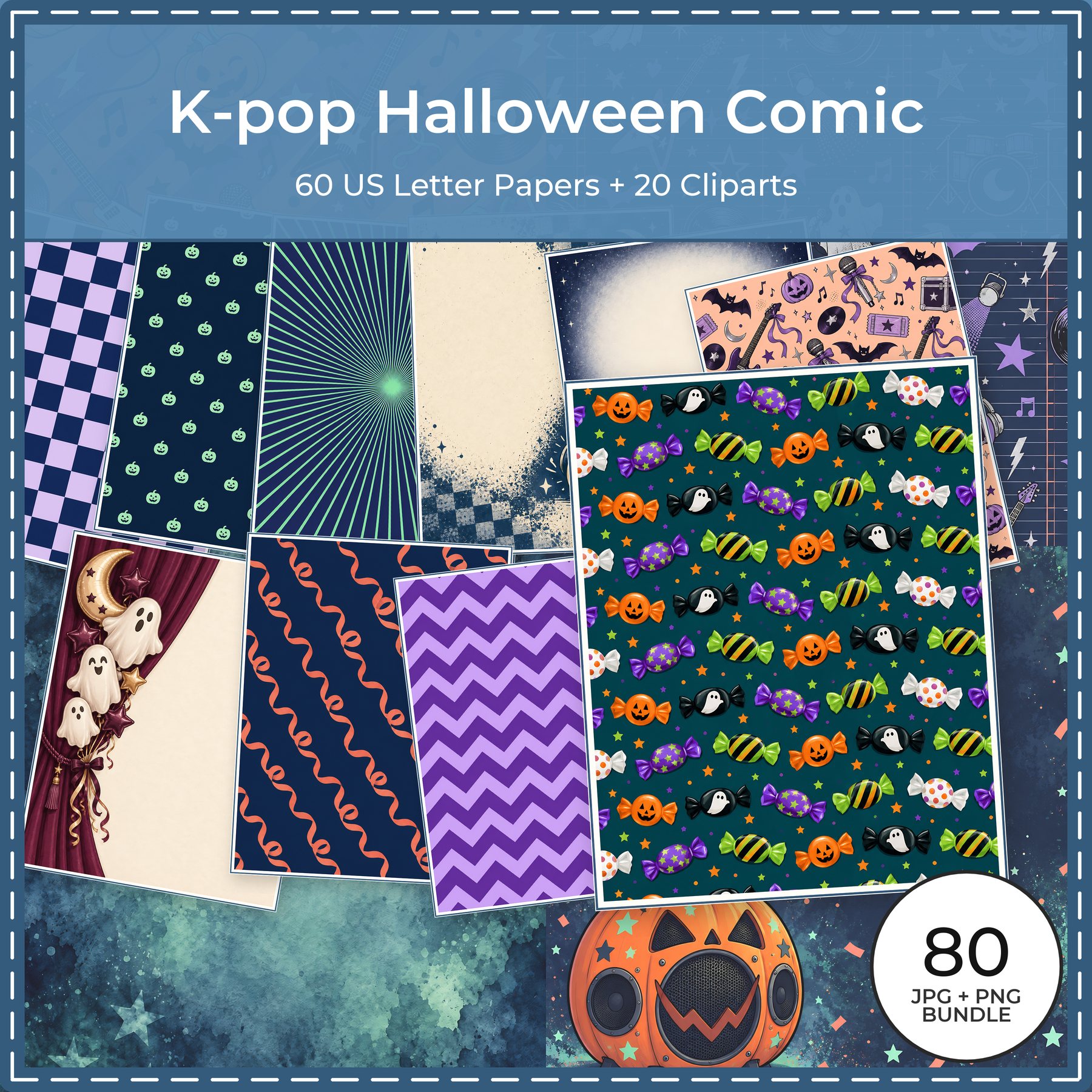
US Letter papers + transparent clipart
K-Pop Halloween Comic
Build a portrait page around a costume photo; use a contrasting paper strip for the date and a small clipart accent.
Explore this premium collection
Square papers + transparent clipart
Comic Halloween Pop Art
Try a bold square photo mat for a party album, or crop a section of a pattern for a greeting card.
Explore this premium collectionThese are separate, paid digital collections from ScrapBujo. They are not included in the free download. Check each collection’s file dimensions, contents and license before buying; square does not automatically mean 12 × 12 inches.
Browse ScrapBujo’s premium catalog · Visit ScrapBujo on Etsy
Before you download or buy
- Match the file size to your album and printer.
- Check the file types, asset count and whether files are delivered separately or in a ZIP.
- Read the license for personal or commercial use. A free download does not automatically allow resale or redistribution.
- Digital collections are files; they do not include a physical album or printed paper.
FreeScrapbooking’s existing free resources and original creator information remain available here. ScrapBujo provides a separate premium catalog. Read our introduction to the two resources and our editorial policy for context.